Test Guide
Great to have you testing! It could not be simpler: app on, music playing — and you tap with one finger whether the suggested dance is right. Exactly these taps make the suggestions better. No recording needed, no effort.
1 · Install the app
On your phone the app is called "Dance Beta" — the Tactara brand stays out of the app during the test phase. Downloads and install steps (Android direct, iOS via TestFlight) are on the test page.
On first start, allow the microphone — otherwise the app cannot hear anything.
2 · The main thing: confirm or correct
- Open the app while music is playing (speaker, sound system, stereo).
- At the top you see the tempo, below it the most likely dances sorted by confidence. The ring shows how sure the app is about the dance:
- Live — confident estimate
- Settling — tempo clear, dance coming
- Uncertain — ambiguous, no dance name
- At the bottom, two small buttons — one tap is enough: Correct ✓ if the top dance fits. Wrong dance? if not — then pick the right dance.
- Do this whenever you feel like it — while practising, in class, at home. Every tap helps exactly where the app is still unsure.


In class, your teacher decides — the app is an estimation aid, not an oracle. (Teacher taps are especially valuable.)
3 · Sending — data-minimising, consent once
- Right after a tap, Send appears briefly — tap it.
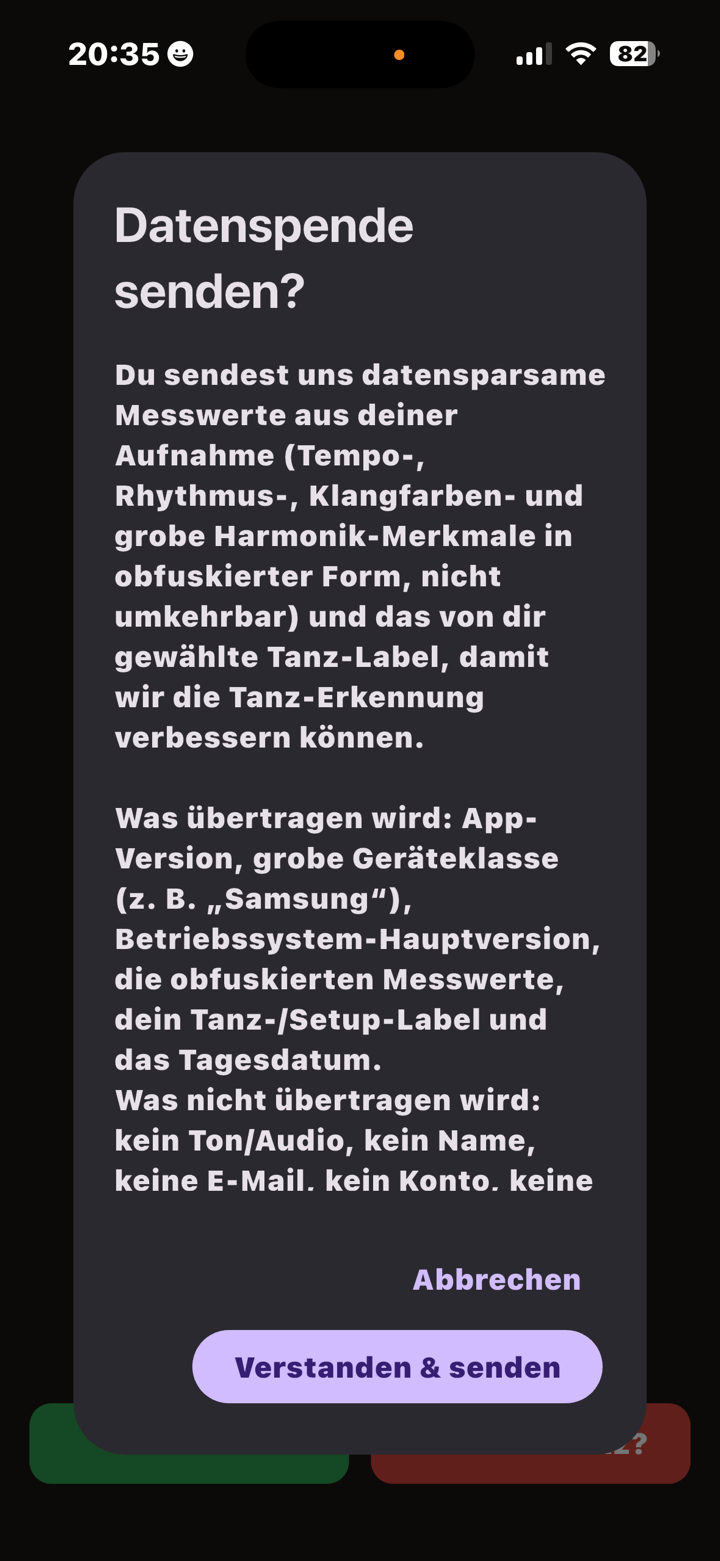
- The first time, a short consent dialog explains what is sent (only measurements, never audio, no personal data) — Understood & send.
- Done — it reaches our server in seconds, mobile data included. The app remembers your consent; next time the dialog is skipped.
4 · Optional: record
Not required — the taps above are what matters most. If you want to contribute more: a short measurement recording (tempo and rhythm values only, never audio). We welcome recordings of every dance in the tempo table. And if a dance is missing from the table: suggestions are welcome by mail to beta@tactara.dance.
- Press and hold the "Dance Beta" wordmark at the top for about a second — the recording panel opens.
- Pick the dance, then start the recording. Only enter the tempo if you know it for sure — otherwise leave it empty.
- After 90 seconds the recording stops automatically — save or discard. One song per recording keeps the data clean.
- Send as above — or send all sessions at once from the recording panel.

5 · What happens with your data
The app records no audio — only measurements (tempo curve, rhythm features in obfuscated form) plus your tap. The music cannot be reconstructed from them.
Nothing is ever sent automatically — only when you explicitly trigger it, without an account, name, e-mail or unique device ID. Because we cannot link feedback to you, it cannot be found or deleted afterwards — please only send what you are comfortable with. You can withdraw your consent for future uploads at any time.
All details are in the app's consent dialog and in the privacy policy.
Even during the test phase, no audio is stored — only measurements. The finished app stores nothing at all; it just listens live and shows its estimate.
6 · If something is stuck
- Everything red, no dances? The app hears no music — turn it up, move closer to the speaker, wait a moment.
- Sending fails? Check your connection and tap again — your taps stay stored and go along next time.
- Save still greyed out while recording? Let it run a few seconds; at 90 seconds it stops automatically.
Anything else: a short mail to beta@tactara.dance.
Thanks for testing! Every tap and every recording makes the suggestions better. ♥